Conveyor noise is a symptom, not just a nuisance. In mining, a change in sound usually means you’re paying for friction, vibration, or impact somewhere in the line. If you treat the noise early, you often prevent the secondary damage that follows: belt edge wear, seized idlers, spillage, and unplanned downtime.
This guide is a practical workflow you can run on a heavy-duty belt conveyor to find the source of the noise, fix the root cause, and verify you’ve actually solved it.
Safety prerequisites before you chase the noise
Before troubleshooting, decide what kind of inspection you’re doing.
-
Listen-only walkdown with guards in place (lowest risk): You’re observing, logging, and using non-contact tools.
-
Hands-on inspection / adjustment (higher risk): You may need guarding removal, work near nip points, or contact with components.
If you cross into hands-on work, follow your site procedure for energy isolation and guarding. For US sites, the baseline reference is OSHA’s lockout/tagout standard (29 CFR 1910.147), which requires an energy control program and procedures to prevent unexpected energization during servicing and maintenance.
⚠️ Warning: Don’t try to “just touch the hot roller” or reach under a guard to pinpoint a sound. Use non-contact tools (thermal camera, vibration) while running, then lock out to confirm and repair.
Classify the noise first (fast triage for conveyor system noise)
The fastest way to shorten troubleshooting is to write down what the noise sounds like and where it seems loudest. Different sounds tend to map to different failure modes.
| What you hear | What it often means | What to check first |
|---|---|---|
| High-pitched squeal / intermittent screech | Slip, dry contact, or lubrication failure | Drive/return pulleys, belt tension, any recently greased bearings, belt rub points |
| Grinding / gritty rumble at a fixed point | Bearing contamination/damage, seized roller starting to fail | Return idlers (common), carry idlers near loading, any roller with heat or vibration |
| Rattle / clunk / metallic chatter | Loose mounting, structural vibration, damaged bearing cage, loose guard panels | Stringers, brackets, guards, skirting clamps, idler frames |
| Rhythmic slap / thump once per belt revolution | Splice issue, belt damage, buildup on pulley/roller | Splice condition, belt surface, pulleys for lagging/buildup |
The noise-to-fault mapping isn’t perfect, but it’s reliable enough to decide where to start. If you want a mining-specific description of “abnormal roller noise” patterns, this mine conveyor roller diagnostic guide is a useful reference.
Step-by-step workflow to isolate the source
You’re trying to answer one question: Is the noise coming from a rotating component, belt-to-structure contact, or the conveyor structure acting like a loudspeaker?
Step 1: Get a repeatable baseline
Action
-
Log belt speed, loading condition (empty/light/full), and where the noise is loudest.
-
Note whether the noise changes with load. Some issues get worse when empty (belt flutter); others get worse under load (bearing stress, misalignment).
Done when
- You can reproduce the noise and you’ve narrowed it to a span (for example: “return side from 120 m to tail”).
Step 2: Walk the return side first (you’ll find a lot of noise there)
Return idlers live in dust, carryback, and misalignment. They also spin fast relative to their size and are a common failure point.
Action
-
Listen for a “hot spot” where the noise is concentrated.
-
Use a thermal camera to scan for rollers running hotter than neighbors.
-
If you have a handheld vibration tool, trend the suspected idlers against a nearby “known good” section. A plain-language overview of how vibration analysis helps identify rotating faults is in Fluke’s vibration analysis article.
Done when
- You have 1–3 suspect rollers/idlers you can tag for lockout inspection.
Step 3: Check for belt rub and mistracking (noise plus wear usually travel together)
If the belt is drifting or the structure is out of square, you’ll often get noise plus belt edge wear, dusting, or spillage.
Action
-
Look for polished spots on structure, rubbed paint, frayed belt edges, or fines buildup where the belt is contacting.
-
Check loading and training: poor loading and skewed idlers can create persistent conveyor belt mistracking.
Done when
- You can point to a specific contact point (belt-to-structure or belt-to-skirt) or rule it out.
Step 4: Rule out drive-side slip and pulley issues
Slip can squeal, and pulley surface conditions can make it worse.
Action
-
Inspect the drive area for evidence of slip (glazing, rubber dust, smell, heat).
-
Inspect lagging condition and buildup.
-
Confirm take-up settings aren’t creating chronic under-tension or over-tension.
Done when
- You’ve either identified slip/buildup as a root cause or you can focus back on idlers/tracking.
Step 5: Lock out and confirm the mechanical fault
This is where you stop guessing.
Action
-
With energy isolated, spin suspected rollers by hand (if your procedure allows). A good roller is smooth and quiet; a failing one often feels rough or has play.
-
Check mounting bolts, brackets, and idler frames for looseness.
-
Check if carryback material has packed around rotating parts.
Done when
- You can name the failure mode (bearing failure, contamination ingress, misalignment, loose structure, rub point) and choose a fix.
Fixes by root cause (what actually reduces conveyor belt noise)
Where conveyor system noise usually comes from
Before you buy anything, confirm which bucket you’re in: a rotating component problem (idler/bearing), a belt-to-something rub problem (tracking/skirting), or a structure amplification problem (loose steelwork/resonance). The fixes below map to those buckets.
This section is intentionally practical: fix the cause, then verify.
1) Noisy conveyor idlers and idler bearing noise
If the noise is local to one roller/idler, treat it as a reliability event.
What to do
-
Replace the failing roller/idler or bearing per your site standard.
-
Investigate why it failed: contamination ingress, seal damage, misalignment, insufficient lubrication, shock loading.
-
Check adjacent idlers. One bad unit is common; a cluster often means alignment, loading, or contamination is systemic.
Why this works Roller bearings are frequently the dominant source of conveyor noise, and controlling that noise is most effective at the source, not by trying to “block” sound after it’s created. That’s the framing in AIHA’s article “How to Mitigate Conveyor Noise” (2025).
2) Belt tracking, alignment, and conveyor belt mistracking
Misalignment turns into noise because it creates continuous friction and intermittent impacts.
What to do
-
Square the structure and check that idler sets are installed consistently.
-
Correct skewed idlers and out-of-plane pulleys.
-
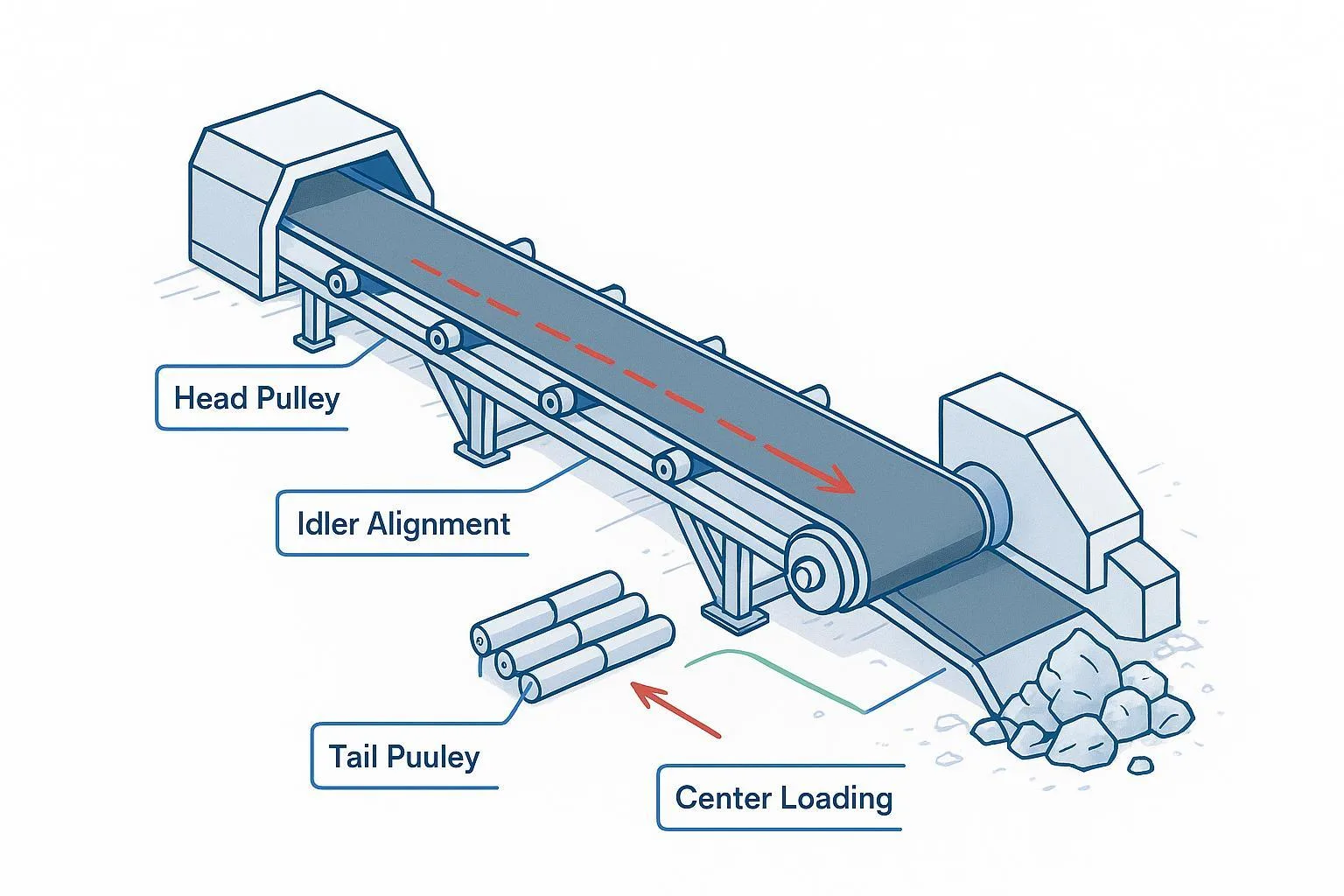
Fix the conditions that drive tracking problems: uneven tension across the belt, buildup on pulleys, off-center loading.
If you’re evaluating hardware changes for chronic mistracking, you can look at options such as a self-aligning idler that automatically responds to belt deviation.
Pro Tip: If you change training components, document the “before” condition (belt position at reference points, spillage locations) so you can verify you improved tracking rather than just moving the problem.
3) Tension and slip (especially if you hear squeal)
Squeal that correlates with start/stop, load changes, or wet conditions often points to slip.
What to do
-
Validate take-up operation and settings.
-
Check pulley surface condition, lagging wear, and contamination.
-
Make sure your belt is tensioned evenly across its width, and re-check tracking after tension changes.
4) Structure-borne vibration and resonance
Sometimes the “noise source” is normal, but the structure amplifies it.
What to do
-
Tighten loose fasteners, guards, and brackets.
-
Look for panels or covers acting like a sounding board.
-
Add damping or isolation where it’s justified by measured vibration.
If you’re prioritizing spend, keep the hierarchy straight: source control first, then path control. This is the same general strategy described in industrial discussions of “tamping down conveyor noise” and component replacement as a primary lever.
5) Carryback, buildup, and rub points
Carryback causes secondary problems: packed fines in rotating areas, belt rub, and idler damage.
What to do
-
Clean buildup at key points.
-
Inspect skirting contact and clamp condition.
-
Confirm belt cleaners and transfer points aren’t creating chatter or rubbing.
Verification: how you know the fix worked
A repaired conveyor that still has rising vibration is a failure waiting to happen. Verify with the same method you used to find the issue.
-
Noise: The abnormal tone is gone, not just “quieter today.”
-
Temperature: Suspect rollers are no longer running hotter than neighbors.
-
Vibration trend: Readings stabilize or drop relative to baseline.
-
Belt behavior: Tracking is stable across reference points; no new rub marks.
If noise remains but the mechanical indicators are clean, evaluate exposure and controls. OSHA’s technical guidance on workplace noise is a starting point for hearing conservation and measurement: OSHA Technical Manual noise guidance.
FAQ
Is conveyor noise just an annoyance, or a failure warning?
Often it’s a failure warning. A change in sound usually comes from friction, vibration, or impact, and those conditions accelerate wear. Treat it as an early indicator, especially when it appears alongside heat, dusting, or tracking changes.
Why does the return side get noisy so often?
Return idlers see dust and carryback, and they’re easy to ignore until one starts to seize. A single failing return idler can also create belt vibration that sounds like a much larger issue.
Can I “fix” noise by lubricating everything?
Lubrication can help if the problem is early and the component is designed for re-lubrication. It won’t solve contamination ingress, misalignment, damaged seals, or a bearing that’s already spalled.
When should we stop and plan a shutdown repair instead of troubleshooting live?
When the noise is accompanied by heat, smoke smell, belt edge damage, loose guarding, or visible belt-to-structure contact. Those are reliability and safety risks. Plan the repair under your site’s energy control process and use OSHA’s lockout/tagout requirements (29 CFR 1910.147) as the baseline for controlling hazardous energy.
Next steps
If you’re dealing with recurring conveyor system noise, it’s usually worth stepping back and checking whether the components match the duty and environment (abrasion, moisture, corrosion, impact zones). For a neutral overview of component categories used in heavy-duty conveying, see BisonConvey pulleys and idlers.
If you want a second set of eyes on your configuration, BisonConvey can review your application details (belt width, material type, loading points, and environment) and help you shortlist idlers/pulleys that reduce repeat failures.